
One Folder. Many Clouds. Zero Chaos.
UnifiDrive lets you combine files from Google Drive, OneDrive, Dropbox, and more into a single logical folder structure—without moving or duplicating data.
— No Credit Card Required —
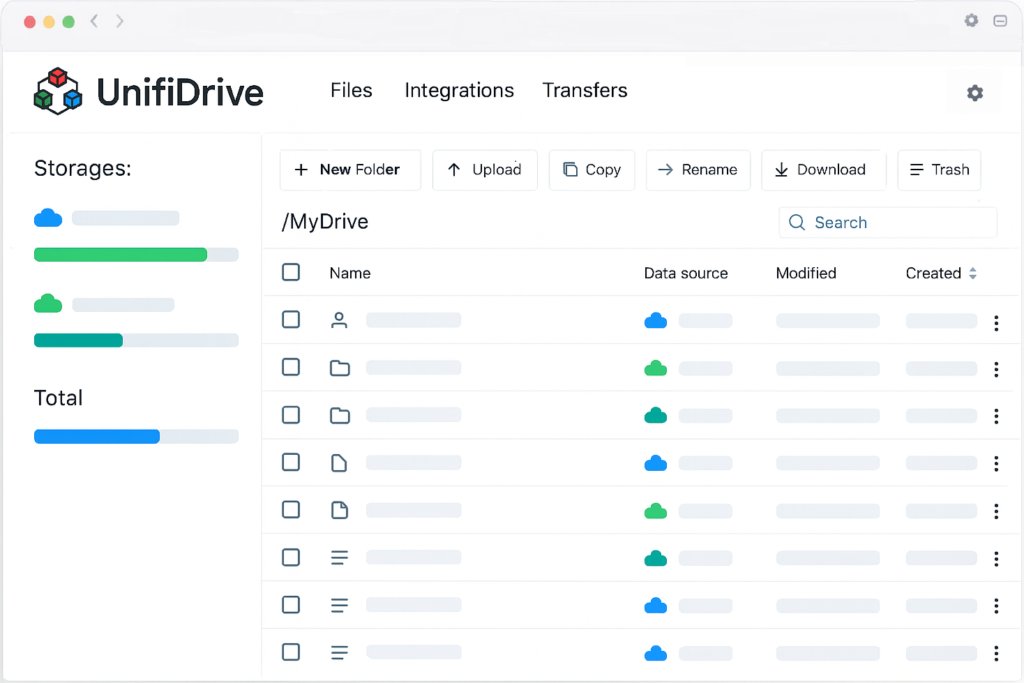
Folders That Span Multiple Clouds
Build a single folder structure that pulls files from different cloud providers—based on path, not storage location.
✔️ Combine Google Drive, OneDrive, Dropbox, SFTP, and more
✔️ Files stay in their original cloud (no migration required)
✔️ No duplicates, no syncing conflicts
Single view for all files
Stop switching tabs and accounts. See all files from all connected clouds in one unified view.
✔️ Search across all clouds at once
✔️ Sort, filter, and preview files globally
✔️ Same UI, regardless of provider
Bulk operations across clouds
Perform large-scale file operations across different providers—as if they were one drive.
✔️ Download files from many clouds in one action
✔️ Upload to multiple providers simultaneously
✔️ Remove or reorganize files across clouds at once
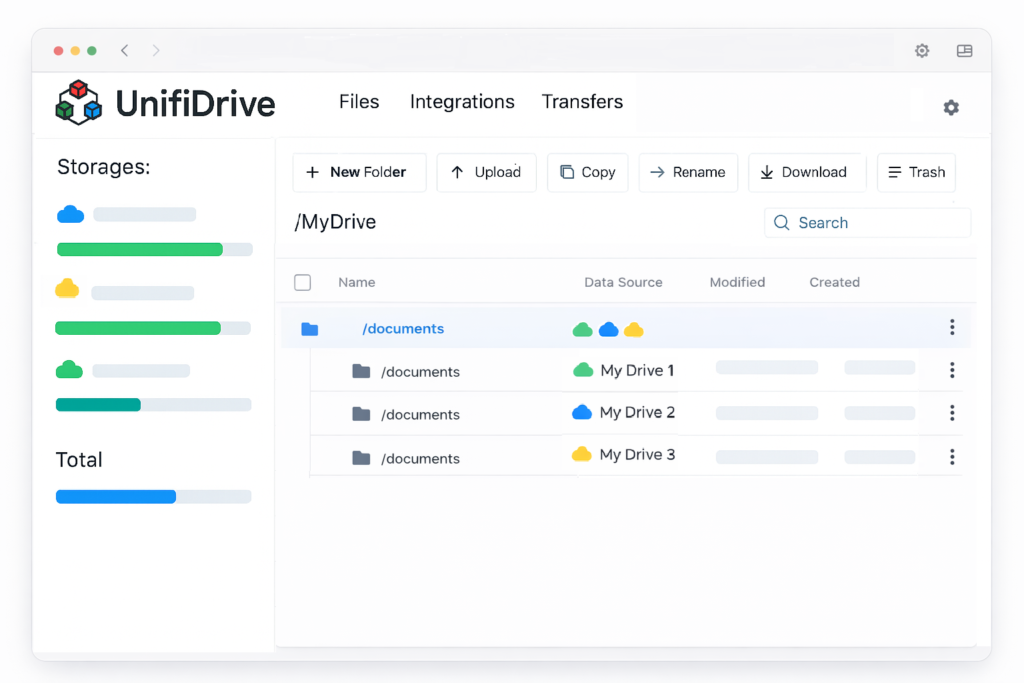
What Is Cloud Unification?
Cloud unification means your folders are no longer limited to a single provider.
With UnifiDrive, one folder path can span multiple cloud accounts, while you see and manage everything in one place.
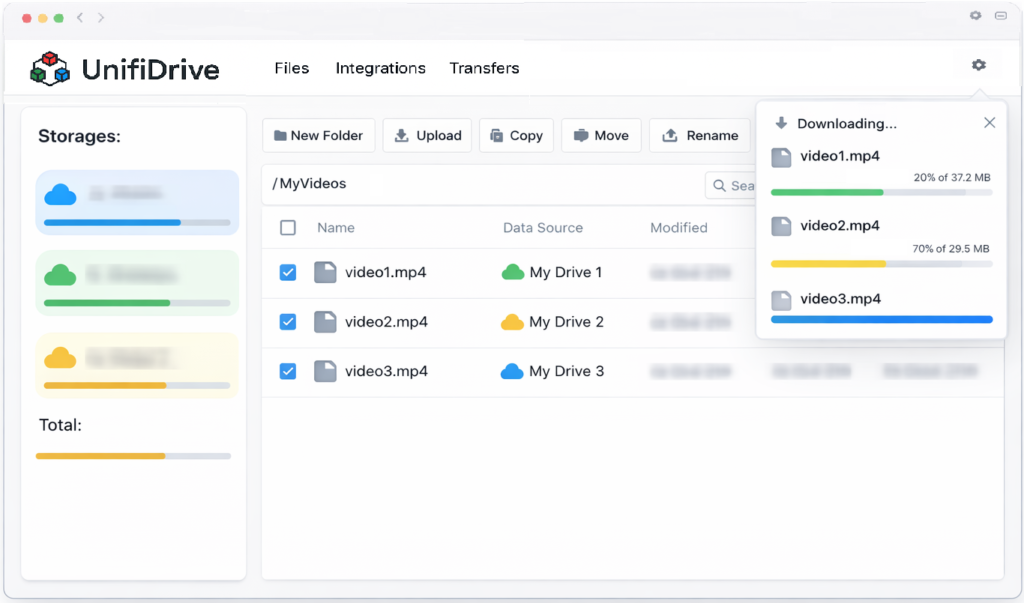
Bulk Actions Across Multiple Clouds
Perform large-scale file operations across different providers—as if they were one drive.
✔️Download files from many clouds in one action
✔️Upload to multiple providers simultaneously
✔️Remove or reorganize files across clouds at once
✔️Perfect for cleanups, audits, and migrations
Your Files Stay Where They Are
UnifiDrive does not store your files.
We connect to your existing cloud providers and show them in a unified view.
Supported Storages

OneDrive
Personal and Business

Google Drive
Personal and Workspace

Dropbox
Personal and Business

SharePoint

Mega

pCloud

SSH File Transfer Protocol
General Questions
Our platform provides cloud storage management, connecting and organizing your files across popular cloud storage services like Google Drive, OneDrive, Dropbox, and pCloud. It centralizes your access, making it easy to transfer, manage, and share data seamlessly across providers.
Yes, we offer a freemium plan that includes all features for multi-cloud storage management. The free plan has a usage limit, while our premium plans provide unlimited usage. For more details, check our Pricing page to find the plan that best suits your needs.
Yes, data security is our top priority. UnifiDrive never stores your files directly, we might store metadata of your files for some features like transferring files. We use secure connections to link with your chosen cloud providers, ensuring that all data transfers are encrypted using industry-standard SSL/TLS protocols. Additionally, our platform complies with strict data privacy standards.
No, it does not store files. Instead, your files remain on the connected cloud storage platforms. Our system simply helps you organize and manage data across multiple accounts without duplicating or saving any files locally.
Click on any of the "Sign up" buttons. Then, you can create an account by login into the application via Google Account or Microsoft Account or via your email address. Then you will be asked to grant access to your profile. If you confirm granting access and agree to terms and conditions your account will be created.
We created several how-tos videos about every available feature and how to configure your account. You can check our videos by clicking HERE.
Yes, the platform enables cloud file transfers between supported cloud providers. The transfer happens entirely in the background, so it won’t use your device’s bandwidth. Just select the files and the destination, and we’ll manage the transfer directly between cloud services without requiring downloads or temporary storage on your device.
Yes, it’s optimized for mobile access via browsers, and we’re continuously working to improve the experience across all devices.
Our platform currently supports integration with the following cloud storage providers and protocols:
-
- Google Drive
- Dropbox
- OneDrive
- OneDrive for Business
- SharePoint
- Dropbox for Business
- Google Drive Workspace
- pCloud
- Mega
- SFTP (SSH File Transfer Protocol)
We’re always working on extending multi cloud storage solutions, so stay tuned for future updates!
choose your plan
Choose a plan that's right for you
Freemium
Up to 50GB Monthly Transfer Traffic
Up to 10 Connected Accounts
Premium
Unlimited Transfer Traffic
Unlimited Connected Accounts
Priority Support